
Bay Reset Directions
We apologize for the technical difficulty you experienced. Follow the directions below to get back on track in just a few seconds! If you are in need of further assistance please give us a call at (508) 202-0250.
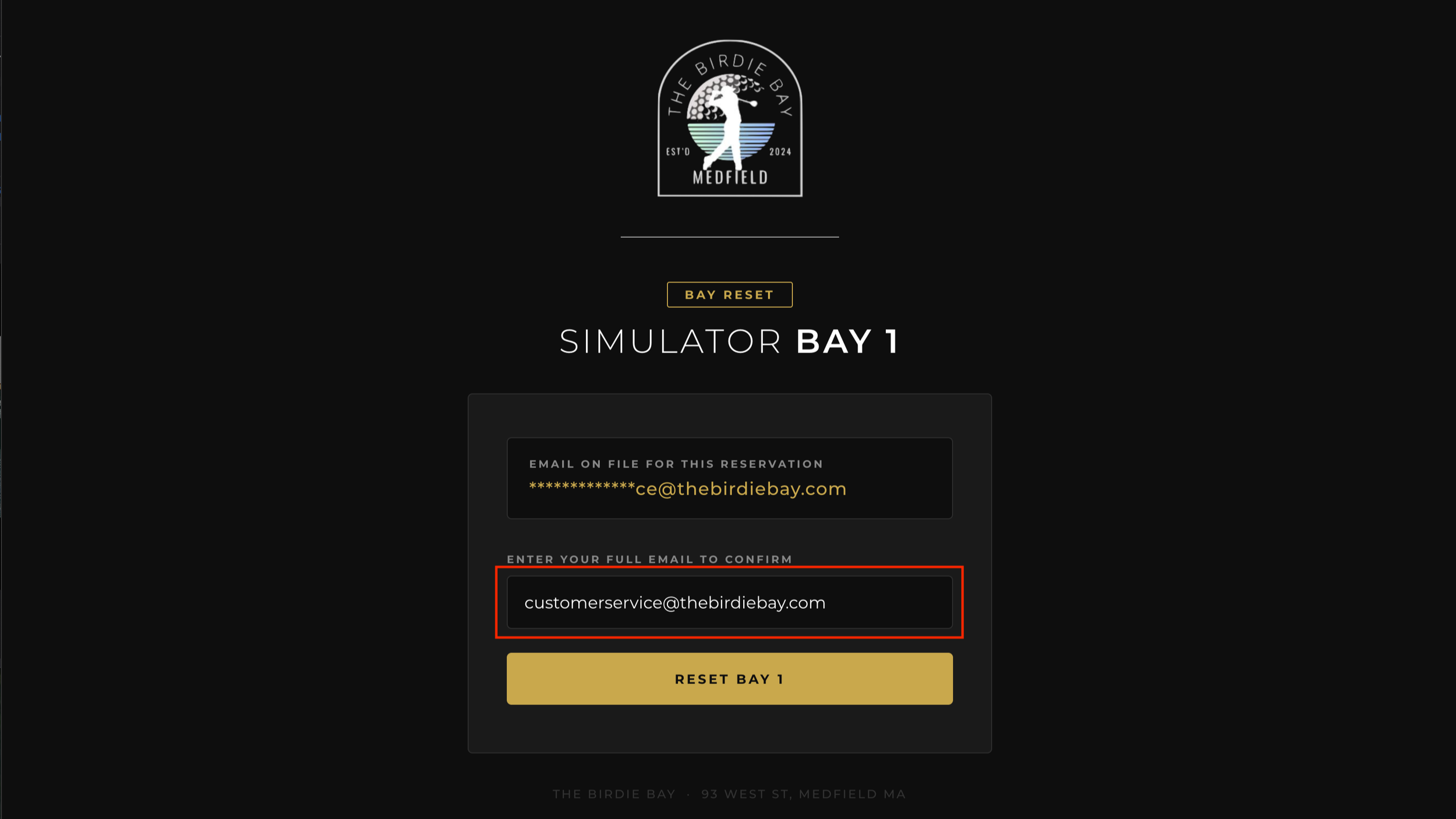
Begin by verifying the email account that the reservation is under. Type the entire email address in the email field and tap the reset bay # button to send the reset.
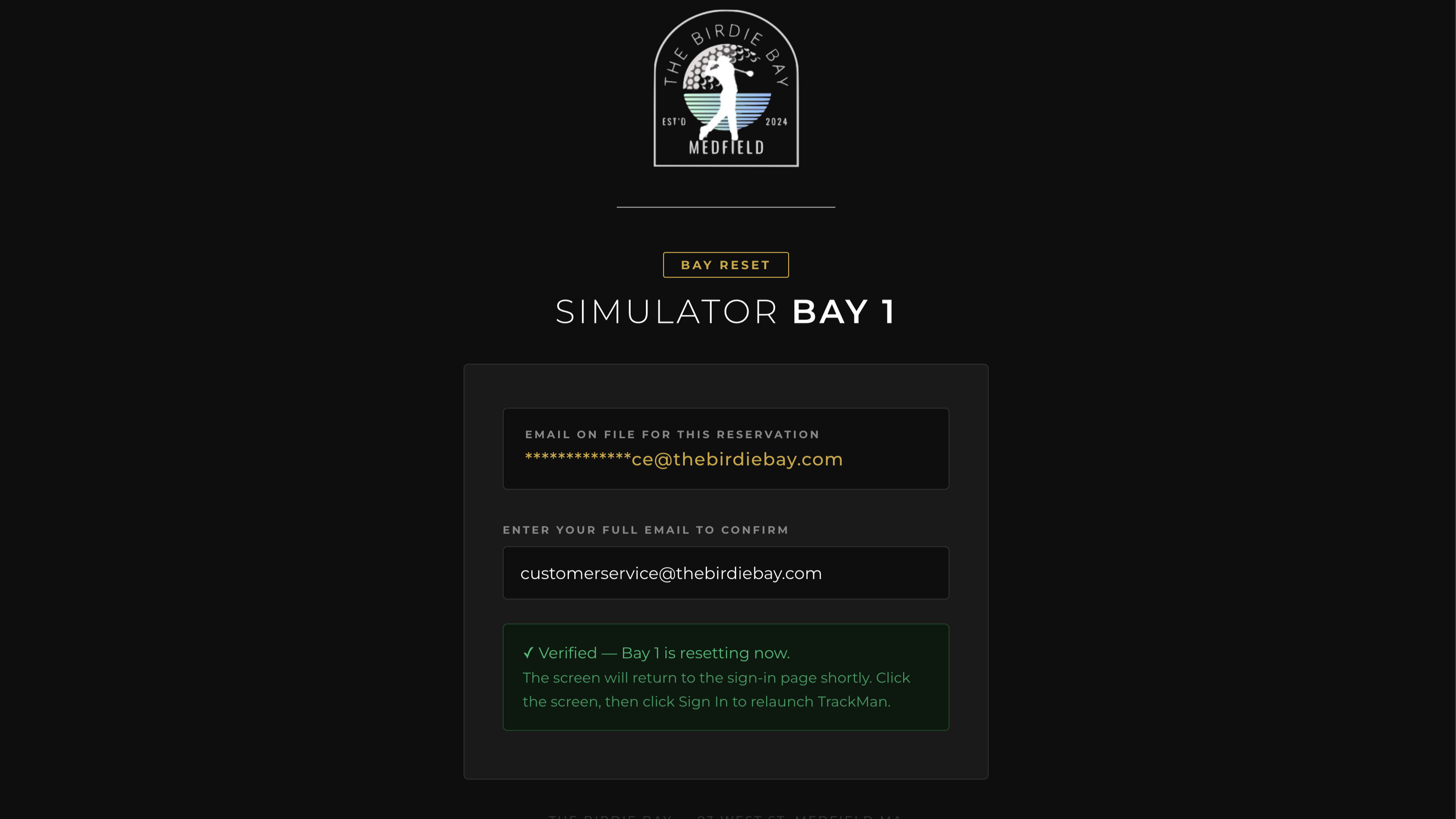
After a successful reset, you will see the message displayed in the image. You may now close this window on your phone. The bay screen should go black, then shortly refresh to the login screen.
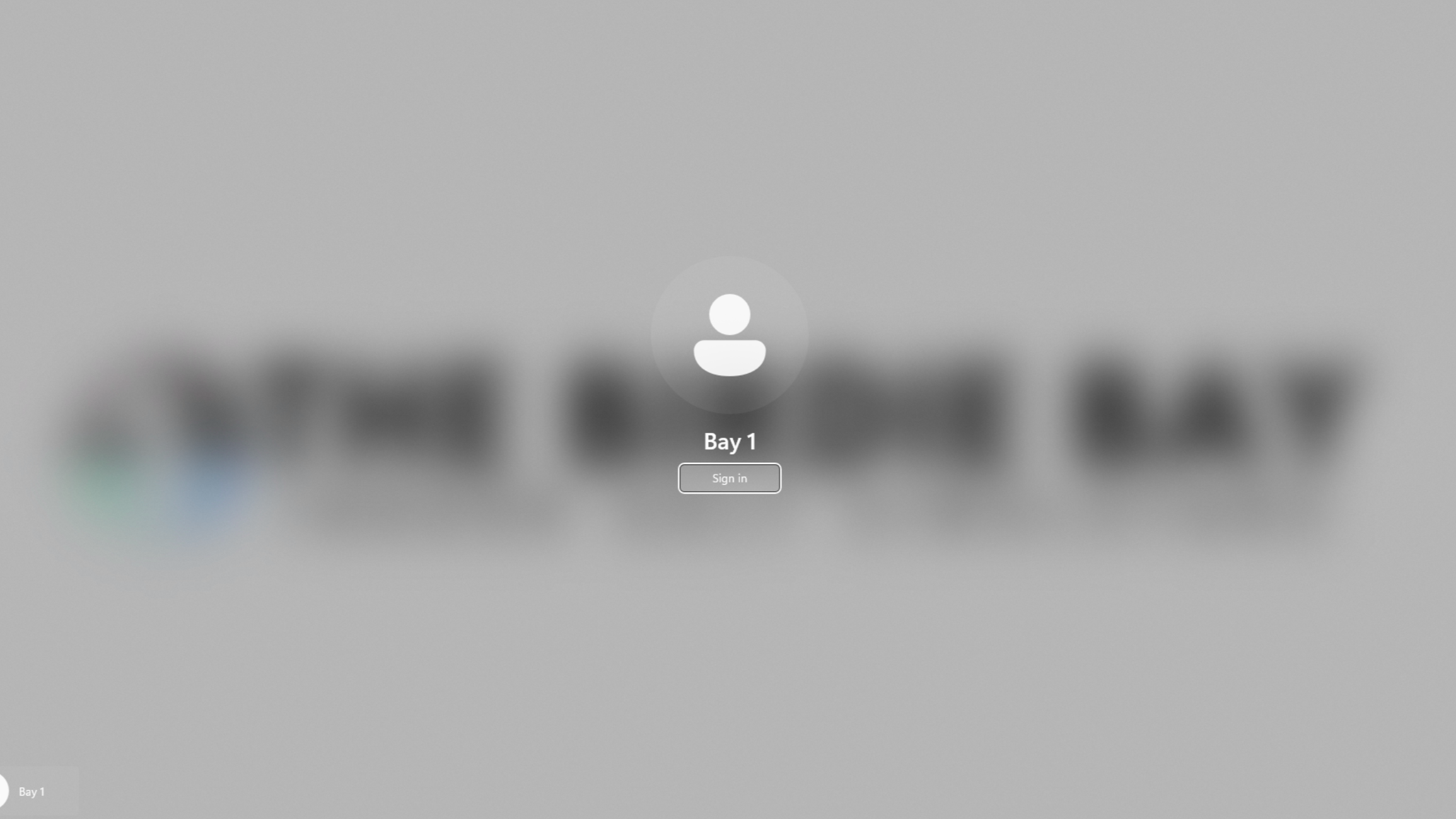
Click the screen to activate the sign in button, then click sign in to resume play!

The TrackMan app will restart and revert to the lock screen, click start play to open the home page.
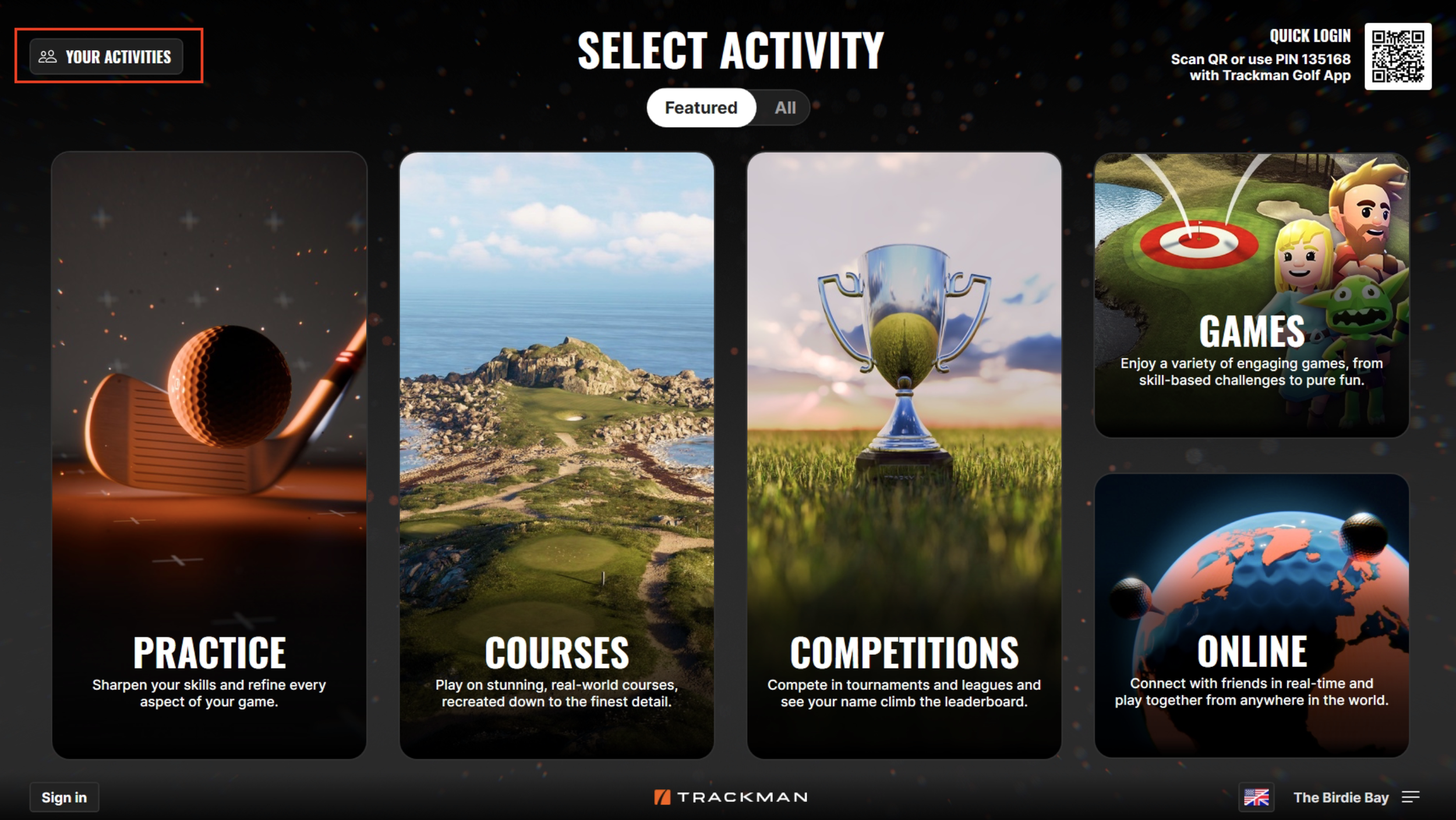
If you weren’t signed into a TrackMan account, your progress may be lost from before, but if you were actively signed in to your trackman account, you can click the “Your Activities” button to resume play if the system doesn’t automatically provide a resume option.